Extract Score
Completion requirements
You can download a file (CSV/Excel) with the results of individuals of your choice, or all candidates.
- To download individual or bulk scores, make a selection from the list of candidates. Select the candidate(s). For specific candidates, check the box to the left of their name. For all candidates listed in the project, check the box at the top in the candidate header.
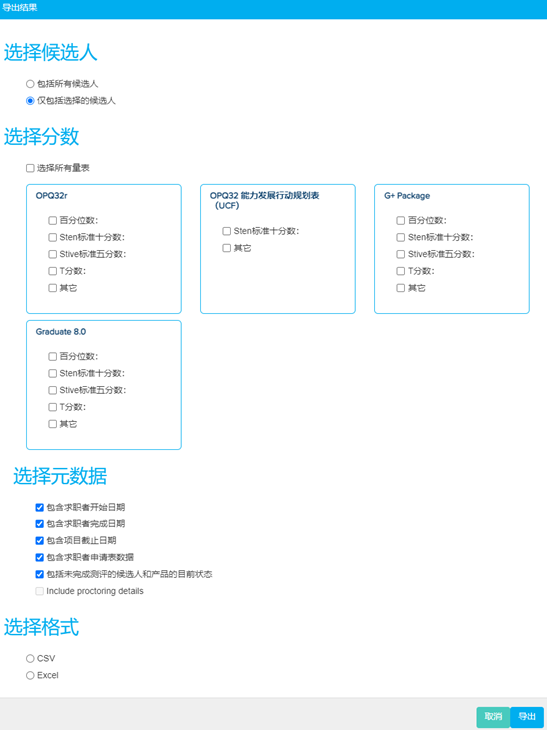
- This enables the Export Results feature. A pop-up will appear where content of extract needs to be specified. Choose from all or only selected candidates. Make selection of the type of scores, metadata and filetype required.
- Click Export to download an extract of the scores.