Manage Candidates
You can manage all candidates in the project in the Manage Candidates section.
Select your candidate(s) by checking the box next to them, you will activate the four buttons in the upper left corner of the section.

Resend Candidate Invitation
Click Resend to resend the invitation.
Recall
Click Recall. This will prevent the candidate from registering/continuing/completing.
Change Individual Deadline Dates
Click Change Deadline Date. Select the new deadline date for your candidate(s). It will take effect immediately. If you have set up a project update email to candidates in your project, candidates will receive an email that the deadline has been updated.
Add Product
You can add more tests and reports for candidates. Please refer to Add an Additional Product.
Click the arrow on the left of the candidate name to expand the assessment list of the candidate.
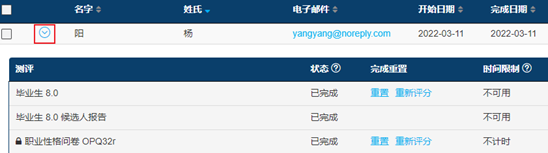
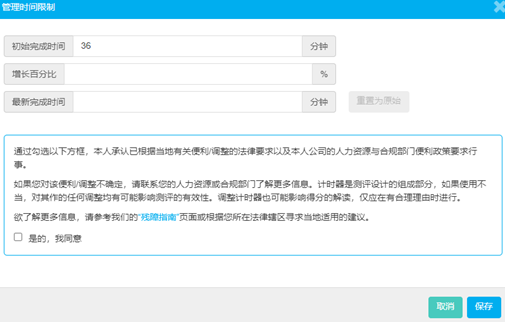
- Locate the assessment for which the additional time is required. Click the minutes and complete the fields in the pop-up.
- Assign a percentage-based increase in line with your organization’s accommodation policy. Accept the outline and save the changes.
- View the new time allocated to the candidate.