Add Products
Completion requirements
There are two ways to add products to a project. Select Assessments Profiles to simply add an existing Assessment Profile or Select Manually to choose from the list of SHL content available to you.
TIPS:If this is a SHL Experience project, all necessary products have been pre-configured within your custom workflow. You don't have to choose any product.
Add Assessment Profile
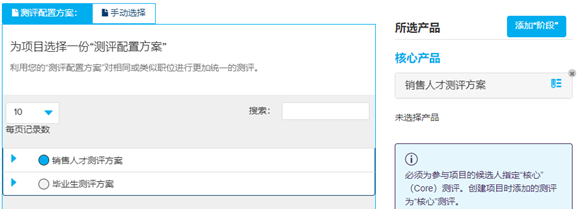
Check the radio button next to an Assessment Profile to add it to the project.
Select Manually
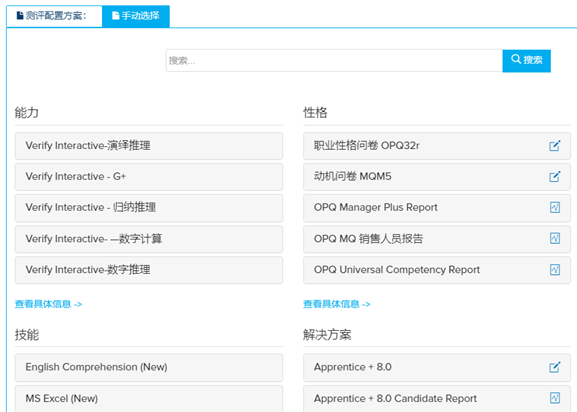
- Use the Select Manually option to select assessments and reports (Search for a key word to select an assessment) .
- Click show details for a detailed description. Specify further information such as, Language, Comparison Groups, and click Add.
-
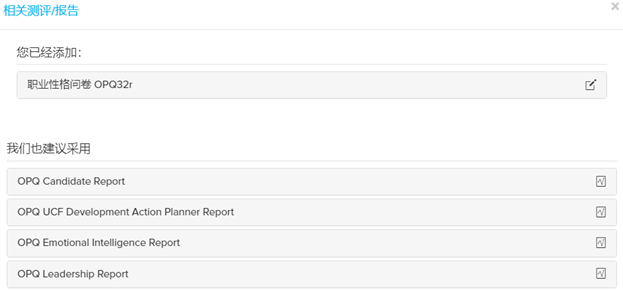
Once you click add, a list of associated report will appear. Select the desired report.
-
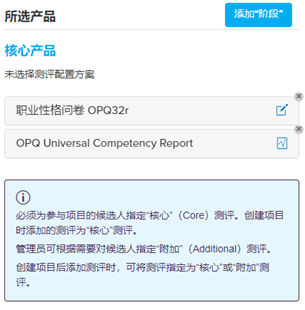
Review the selection under Selected Products. All chosen reports and assessments will appear as core products.
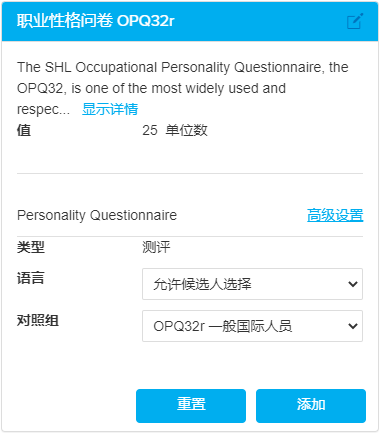
NOTE: Please select the appropriate test language, control group, and report. Ask sales for recommendations on comparison groups.